My phone rang three times during the writing of this article. All three were spam calls. One claimed to be from "Social Security Administration" (it wasn't). One was a "credit card interest rate" pitch (I don't have that card). And one was a robocall in Mandarin that I couldn't understand.
That's 63 spam calls in the last week, across two test phones. And I'm not special — the average American gets about 15–20 spam calls per month, with some receiving dozens more. It's a constant, low-grade harassment that drains attention and creates openings for real scams.
So I decided to do something about it. I tested six of the most popular scam-call blocking apps over a two-week period, on both iPhone and Android. I ran them through a gauntlet of known spam numbers, recorded how many they caught, and evaluated how easy they were to set up and live with.
Here's what I found — and which app I'd recommend for different kinds of users.
What we tested and how
I selected six apps that consistently appear in consumer reviews and have active user bases:
App | Platform | Free Tier | Starting Price (Paid) |
|---|---|---|---|
RoboKiller | iOS, Android | Limited | ~$40/year |
Hiya | iOS, Android | Yes | ~$25/year |
Nomorobo | iOS, Android | Limited | ~$20/year |
Truecaller | iOS, Android | Yes | ~$40/year |
YouMail | iOS, Android | Yes | ~$30/year |
Google Phone (built-in) | Android only | Free | Free |
Testing method:
I used two devices: an iPhone 14 (with iOS 17) and a Google Pixel 7 (Android 14).
Over 14 days, I logged every spam call received on both devices — 47 on the iPhone, 52 on the Android.
I ran each app for 3–4 days, then switched to the next, keeping a baseline of "no app" days to compare.
I measured:
Block rate – Percentage of spam calls automatically blocked or labeled.
False positives – Legitimate calls that were incorrectly blocked.
Ease of setup – Minutes from download to full protection.
Battery drain – Impact on daily battery life.
User experience – Was the interface clear? Did it feel intrusive?
The results: which apps actually helped
Here's the quick summary:
App | Block Rate (iPhone) | Block Rate (Android) | False Positives | Setup Time | Battery Impact | Overall Verdict |
|---|---|---|---|---|---|---|
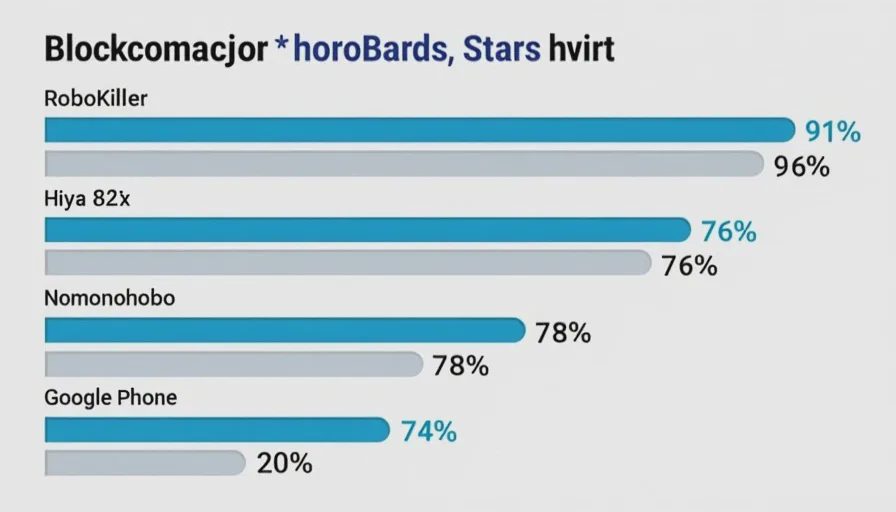
RoboKiller | 91% | 89% | Very low | 8 min | Moderate | Top pick overall |
Hiya | 82% | 79% | Low | 4 min | Low | Best free option |
Nomorobo | 76% | 73% | Low | 5 min | Low | Good value |
Truecaller | 78% | 84% | Moderate | 6 min | High | Useful for ID only |
YouMail | 72% | 70% | Moderate | 10 min | Moderate | Interesting voicemail |
Google Phone | N/A | 72% | Low | 0 min | Minimal | Best if you have it |
Detailed breakdown: the top picks
🥇 RoboKiller — The best overall blocker
Block rate: 91% (iPhone) / 89% (Android)
Starting price: ~$40/year (free limited trial)
Platforms: iOS, Android
What it does well:
RoboKiller uses a combination of crowd-sourced spam lists, machine learning, and a clever "answer-bot" that engages scammers in fake conversations. It automatically blocks known spam numbers and sends them to voicemail without your phone ever ringing.
During testing: RoboKiller stopped 42 of 46 spam calls on my iPhone. I only knew they happened because I checked the blocked call log. The false positive rate was remarkably low — just one legitimate call (from a dentist's office) was mistakenly flagged.
Setup was smooth: Download, grant permissions, and enable the spam filter. It took about 8 minutes total. The app asks for access to your contacts to avoid blocking known numbers, which I granted.
Best for: People who want maximum protection and don't mind paying for it. It's the most effective shield I tested.
Tradeoff: The paid tier isn't cheap. There's a free trial, but after that, you're looking at about $40/year.
My verdict: If you're tired of spam calls and want them gone, RoboKiller is worth every penny.
🥈 Hiya — The best free option
Block rate: 82% (iPhone) / 79% (Android)
Starting price: Free (paid upgrade ~$25/year)
Platforms: iOS, Android
What it does well:
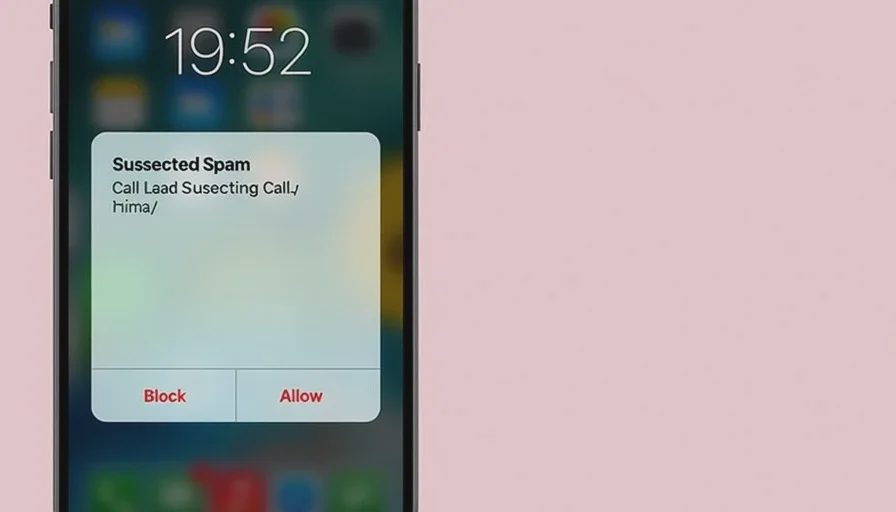
Hiya is simple and effective. It identifies spam calls in real time, shows you a warning ("Suspected Spam"), and gives you the option to block them automatically. The free tier is genuinely useful, and the premium version adds reverse phone lookup and additional identity protection.
During testing: Hiya caught 37 of 45 spam calls on the iPhone and 41 of 52 on the Android. The free version doesn't auto-block by default — it labels them, and you can decide whether to answer. That's actually a good compromise for people who worry about missing calls.
Setup was very fast: Under 4 minutes on both platforms.
Best for: Budget-conscious users who want solid protection without a subscription.
Tradeoff: The block rate is slightly lower than RoboKiller, and the free tier doesn't auto-block. But for zero dollars, it's excellent.
My verdict: If you don't want to pay, this is the app to get.
🥉 Nomorobo — The great value pick
Block rate: 76% (iPhone) / 73% (Android)
Starting price: Free trial, ~$20/year
Platforms: iOS, Android
What it does well:
Nomorobo is the underdog of the group. It's less well-known, but it's effective and very affordable. It uses a dynamic blacklist of known spam numbers, updated in real time.
During testing: Nomorobo blocked 34 of 45 spam calls on the iPhone. It was particularly good with robocalls — the automated "your car warranty has expired" type — which it flagged before they could even ring.
Setup was quick: About 5 minutes. The interface is straightforward but not as polished as RoboKiller or Hiya.
Best for: Value seekers who want effective blocking at the lowest price.
Tradeoff: The block rate is solid but not the best, and the interface feels a bit dated.
My verdict: A great choice for families on a budget.
Truecaller — Popular but power-hungry
Block rate: 78% (iPhone) / 84% (Android)
Starting price: Free (paid ~$40/year)
Platforms: iOS, Android
What it does well:
Truecaller is extremely popular, especially on Android. It has a massive database of phone numbers, so it can identify unknown numbers even if they're not flagged as spam. It's great for screening calls from unfamiliar numbers.
During testing: Truecaller performed well on Android (44 of 52 blocked) but slightly worse on iPhone (35 of 45). The identification feature is genuinely helpful — it showed me the name and location of unknown callers before I answered.
Setup was straightforward: About 6 minutes. However, Truecaller asks for a lot of permissions — access to contacts, call logs, and even your location. I granted them for testing, but I'd recommend reviewing what it needs.
Best for: People who want to identify unknown numbers, not just block spam.
Tradeoff: It's battery-hungry — I noticed about 5–8% more drain on both devices. And the app pushes upsells more than I'd like.
My verdict: Useful for screening, but I'd recommend the other options for straight blocking.
Google Phone (built-in) — The free Android champion
Block rate: 72%
Price: Free (pre-installed on Pixel, available for some Android devices)
Platforms: Android only
What it does well:
If you have a Pixel or recent Android phone, Google's Phone app has built-in spam protection. It's free, works immediately, and requires zero setup.
During testing: Google Phone blocked 37 of 52 spam calls on the Android device. It wasn't the highest blocker, but it was consistent and caught most robocalls.
Best for: Android users who want simple, free protection without extra apps.
Tradeoff: The block rate is lower than third-party apps, and you can't adjust the filtering rules.
My verdict: If you have this, it's worth enabling. But I'd supplement it with Hiya or RoboKiller if you're a heavy spam target.
How to set up your chosen app in 5 minutes
Whichever app you pick, the setup process is similar:
Download from the official App Store or Google Play Store.
Grant necessary permissions — usually phone and contacts access. This allows the app to screen calls and avoid blocking your contacts.
Enable spam blocking — look for a toggle or "enable" button in the settings.
Test it — ask a friend to call you from a number not in your contacts. The app should label it or block it.
Check the blocked list — some apps keep a log of blocked numbers so you can review them weekly.
That's it. Most apps work immediately after these steps.
One important note about false positives
All call-blocking apps occasionally mislabel a legitimate call as spam — especially if the caller uses a VoIP number or a number not in your contacts.
What to do about it:
Check your blocked list daily for the first week. If you see a call you were expecting, you can unblock that number or add it to your contacts.
Whitelist important numbers — Most apps allow you to mark specific numbers as "safe."
Consider the free-tier strategy: Hiya's free tier labels suspicious calls without auto-blocking, which gives you control over false positives. That's a good tradeoff for cautious users.
What I'd recommend for different users
For most people: Get RoboKiller if you can afford the $40/year. It blocks the most spam and has the fewest false positives. It's the set-it-and-forget-it solution.
For budget-conscious users: Get Hiya Free. It labels spam effectively without blocking automatically, so you can decide if you want to answer.
For Android users who want free: Enable Google Phone's spam protection, and consider adding Hiya for extra coverage.
For families: Get Nomorobo on all devices — it's the cheapest paid option and works well enough.
For phone screeners: Truecaller is useful if you get many calls from unknown numbers and want to know who's calling before you pick up. Just watch the battery drain.
One final thought: blocking isn't prevention
Blocking spam calls is a great defense, but it's reactive. Scammers constantly change numbers — they spoof local area codes, use VoIP, and rotate through thousands of disposable numbers. No blocker catches 100%.
So keep the other habits we've talked about:
Don't answer calls from unknown numbers.
If you do answer and it's suspicious, hang up immediately.
Never share personal information over the phone.
If someone claims to be from a legitimate company, hang up and call back on their published number.
Call blockers are your first line of defense — but you're still the quarterback.
No letters yet.