You know the drill. Your spouse needs the Netflix password. You text it to them. Your kid needs the Wi‑Fi password for their tablet. You text that too. Your mother‑in‑law asks for the Hulu login. You send it in a group chat.
Now that password is sitting in three different text threads, two email chains, and maybe a sticky note on the fridge.
That's how most families share logins. It's fast, it's easy, and it's a security nightmare.
Here's the problem: every time you share a password over text or email, you're making that password more vulnerable. It's stored in plain text on multiple devices. It's visible to anyone who picks up a phone. And if that password is reused anywhere else — which it probably is — one leak can unlock multiple accounts.
Password managers fix this. They give every family member their own secure vault, let you share specific logins without exposing the actual password, and generate strong, unique passwords for every account.
I've tested the leading family password managers in 2026. Here's what I found — and which one I'd recommend for families who just want to stop sharing logins the wrong way.
What to look for in a family password manager
Before we get to the specific tools, let's talk about what actually matters for a family.
1. Shared vaults or folders — This is the core feature. You need to be able to create a shared space where everyone can access the Wi‑Fi password, the streaming logins, and the household bills, while keeping personal passwords private.
2. Easy invitation and setup — If it's hard to add a family member, you won't do it. The best tools let you send an invite via email, and the new member can set up their account in a few minutes.
3. Account recovery for the family organizer — This is huge. If your kid forgets their master password, the family organizer should be able to help them reset it without losing everything.
4. Cross‑platform support — Your family probably uses a mix of iPhones, Androids, Windows laptops, and Macs. The password manager needs to work everywhere.
5. Affordable pricing — Family plans are usually cheaper per person than individual plans, but prices vary widely.
The top contenders
1Password — The best for families who want it simple
If you want a password manager that just works, and you're willing to pay for that ease, 1Password is the gold standard.
What makes it great for families:
Shared vaults let you create separate shared spaces for different purposes — one for streaming, one for household bills, one for the Wi‑Fi.
The "family organizer" can recover accounts if someone forgets their master password.
The interface is approachable for all ages. In fact, 1Password is one of the few password managers where I could imagine teaching a kid how to use it. It's the most beginner‑friendly option on the market.
Watchtower monitors your passwords for data breaches and alerts you when credentials have been exposed.
Zero‑knowledge encryption means 1Password can't see your passwords — even if they wanted to.
Pricing: The Family plan covers up to five people at $4.49 per month, billed annually ($53.88/year). That works out to about $10.78 per person per year.
The catch: There's no free plan. If you want to test it, you'll need to use the free trial.
Bottom line: If you can afford it and you want the smoothest experience for a non‑tech family, 1Password is worth every penny.
Bitwarden — The best budget pick
Bitwarden is the password manager for families who want maximum security at minimum cost. It's open‑source, regularly audited by independent security researchers, and completely transparent about how it works.
What makes it great for families:
The Families plan covers six users for $3.99 per month, billed annually ($47.88/year). That's about $6.67 per person per year.
Unlimited sharing across the family — you can create shared collections for logins, notes, and more.
Every family member gets all Premium features, including 5 GB of encrypted file storage and advanced two‑factor authentication.
The free version is genuinely useful — unlimited passwords, unlimited devices, no restrictions. (Unlike NordPass's free tier, which limits you to one device.)
The catch: Bitwarden's interface is functional but not polished. It feels like software built by security engineers — because it was. Setting it up for a non‑technical family member takes patience.
Bottom line: If you're comfortable with a slightly rougher interface, there's no financial argument for picking anything else.
NordPass — The best value for large families
NordPass has earned CNET's Editor's Choice award for good reason: it offers an excellent balance of features, usability, and price.
What makes it great for families:
The Family plan covers six users for $44.28 for the first year (regular price $71.88/year).
Smooth setup and user experience — it's easy to install and use, even for beginners.
Data breach monitoring and password health tools are included.
Email masking lets you create unique email addresses for each account, reducing spam and tracking.
Secure sharing with other users is built in.
The catch: The free tier only works on one device. The Family plan's price increases after the first year. And some users report a lack of deep administrative features.
Bottom line: If you have a larger family (up to six people) and want a polished experience at a reasonable price, NordPass is an excellent choice.
Dashlane — The best for very large families or friend groups
Dashlane's Friends & Family plan is unique: it covers up to 10 people.
What makes it great for families:
Up to 10 accounts under one subscription — the most generous family offering among major password managers.
Includes a VPN with every premium subscription.
AI‑powered scam protection and dark web monitoring are included.
Family management dashboard makes it easy to oversee everyone's accounts.
Pricing: Friends & Family costs $8.13 per month, billed annually ($97.49/year).
The catch: Only the plan manager gets the VPN — other members don't. And Dashlane retired its free plan in 2025, so you'll need to pay to try it.
Bottom line: If you have a large extended family or want to share with friends, Dashlane is the only option that covers 10 people.
Keeper — The best for security‑conscious families
Keeper is known for exceptional security and granular sharing controls.
What makes it great for families:
One‑Time Share lets you generate links to credentials and distribute them via text, email, or QR code — with an expiration date.
Emergency access ensures your digital legacy is passed to someone you trust.
10 GB of secure file storage is included — more than most competitors.
BreachWatch dark web monitoring is available (for an additional fee).
Pricing: The Family plan costs $84.99 per year and gives you five separate vaults. BreachWatch adds $49.99 annually for Family plans.
The catch: It's one of the more expensive options. The base Family plan is $84.99, and BreachWatch is an extra cost.
Bottom line: If security is your top priority and you don't mind paying for it, Keeper's sharing controls and file storage are hard to beat.
RoboForm — The basic, budget‑friendly option
RoboForm is the no‑frills choice for families who want secure password management without the bells and whistles.
What makes it great for families:
Family plan covers five accounts for $47.75 per year.
Excellent form‑filling accuracy — helpful for anyone who does a lot of online shopping or applications.
Emergency access and data breach monitoring are included.
Local‑only mode is available for extra privacy.
The catch: The interface is basic and feels dated compared to 1Password or NordPass.
Bottom line: If you want something simple, secure, and affordable, RoboForm gets the job done.
Quick comparison table
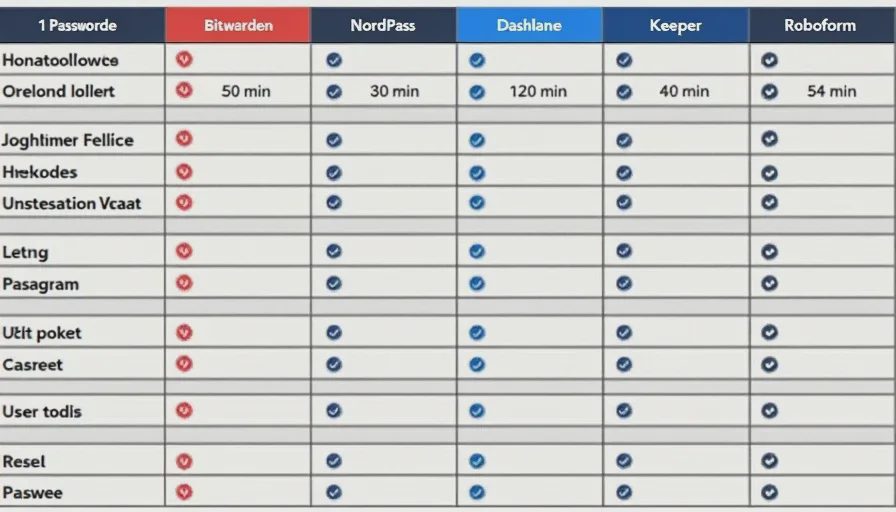
Tool | Users | Annual Price | Shared Vaults | Best For |
|---|---|---|---|---|
1Password | 5 | $53.88 | Unlimited | Easiest for non‑tech families |
Bitwarden | 6 | $47.88 | Unlimited | Budget‑conscious families |
NordPass | 6 | $44.28 (1st yr) | Unlimited | Value + polish |
Dashlane | 10 | $97.49 | Yes | Large extended families |
Keeper | 5 | $84.99 | Yes | Security‑focused families |
RoboForm | 5 | $47.75 | Shared folders | Basic, budget option |
How to set up your family in 10 minutes
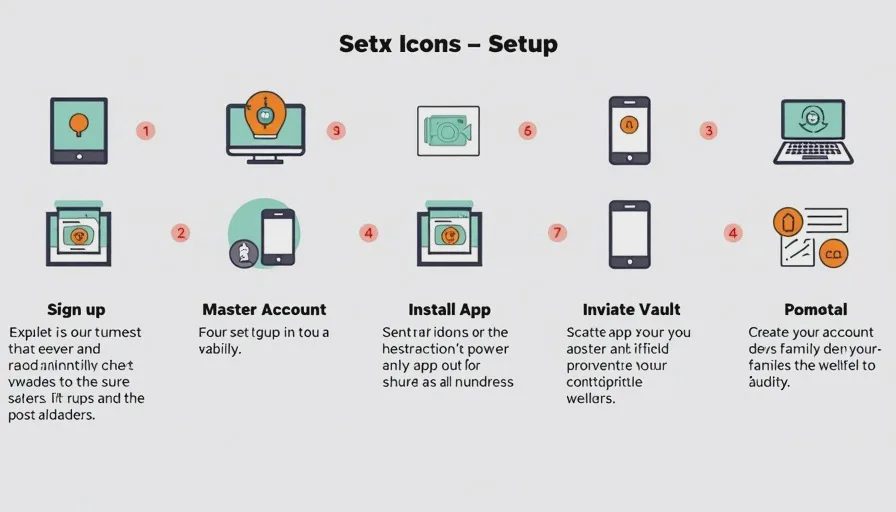
Whichever tool you choose, the setup process is similar.
1. Sign up for the family plan. Most services offer a free trial — use it.
2. Create your master account. This will be the "family organizer" account. Choose a strong, memorable master password — and write it down somewhere safe.
3. Install the app or browser extension on your devices. Download from the official app store, not from a random link.
4. Invite family members. Send invites via email. Each person creates their own account and sets their own master password.
5. Create shared vaults. Start with one shared vault for household logins — Wi‑Fi, Netflix, utilities, Amazon. Add passwords to it. Everyone in the family can now access those logins without you texting them.
6. Set up the browser extension. This is the part that makes it easy — the extension autofills passwords so no one has to type them.
7. Run a password audit. Most tools will scan your existing passwords and tell you which ones are weak, reused, or compromised. Start replacing the worst ones.
What to share — and what not to share
Here's a simple rule for families:
Share logins that are truly shared — Wi‑Fi, streaming services, household bills, the family Amazon account.
Keep personal logins private — email, banking, social media, work accounts. Everyone should have their own vault for these.
A good family password manager makes this distinction easy. Shared vaults are for household logins. Personal vaults are for everything else.
One last thing: start today
The best password manager is the one you actually use. If you pick one and don't set it up, it's useless.
So here's my challenge: spend 20 minutes this weekend setting up a family password manager. Invite your spouse, your kids, and anyone else who shares logins with you. Create a shared vault for the household accounts. Run a password audit.
That one small investment of time will save you from the "what's the Netflix password?" texts forever — and more importantly, it will keep your family's accounts secure.
No letters yet.