Remember the old scam texts? They were impossible to miss:
"YOUR ACCOUNT HAS BEEN COMPROMISED!!! CLICK NOW OR YOUR MONEY WILL BE GONE!!!"
They screamed at you. They used all caps, multiple exclamation points, and threats of immediate disaster. They were loud, sloppy, and easy to spot — even for someone who wasn't paying close attention.
Those texts still exist. But they're not the real danger anymore.
The new wave of fake bank alerts is quieter. Calmer. Boring, even. They look like the routine notifications you get from your actual bank — the ones you glance at and dismiss without a second thought. That's exactly why they work.
The shift from loud to quiet
Scammers have learned that subtlety sells. A dramatic text triggers suspicion. A calm, professional text triggers autopilot.
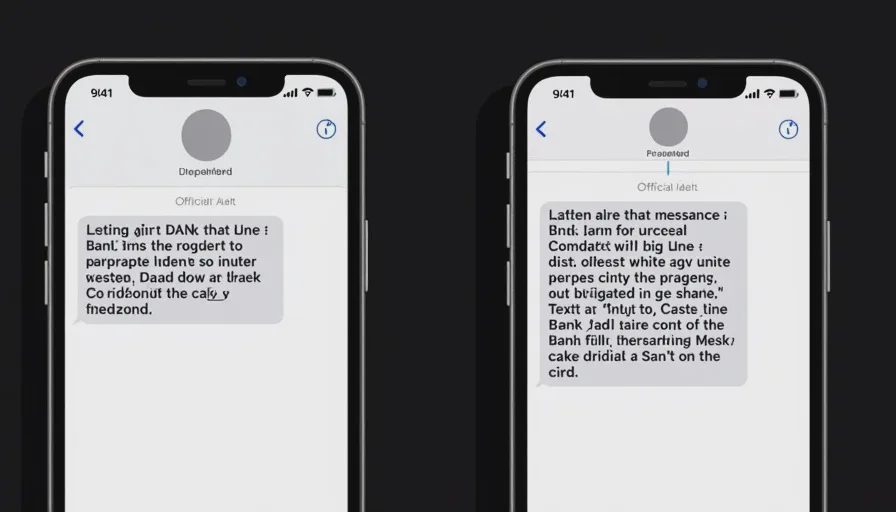
Here's a side‑by‑side comparison of the same scam, old vs. new.
Old Style (Loud) | New Style (Quiet) |
|---|---|
"URGENT: YOUR BANK ACCOUNT HAS BEEN HACKED! CLICK THIS LINK TO SECURE IT NOW OR YOU WILL LOSE EVERYTHING!!!" | "Chase Alert: A new login was detected from an unrecognized device. If this wasn't you, please review activity at [link]." |
The new version:
Uses the bank's name (correctly spelled).
References a specific action ("new login").
Doesn't shout.
Offers a plausible reason to click.
It looks like a real security notification. It feels like the ones your bank already sends. And that familiarity is the trap.
The anatomy of a quiet scam text
I've collected over 80 fake bank texts from readers in the past three months. Here's what the most effective ones have in common.
1. They mimic real bank alert language
Real banks send alerts for:
Large transactions
Unusual login locations
Password changes
New device registrations
Low balance warnings
Scammers copy these exact categories. They've studied the wording and timing of legitimate alerts and replicated them almost perfectly.
2. They use calm, neutral tones
No exclamation points. No "URGENT" in all caps. Just a factual statement: "We noticed a transaction of $1,200. Was this you? Reply YES or NO."
That tone lowers your defenses. It feels like a routine check, not a crisis.
3. They create a plausible "next step"
The text doesn't ask you to send money. It asks you to "verify" or "confirm" something. That seems reasonable. But the link takes you to a fake login page where your credentials are stolen.
4. They reference real institutions
They use the correct names: Chase, Wells Fargo, Bank of America, Zelle, PayPal, Venmo. They may even include a partial account number (which they've obtained from a data breach) to make it feel personalized.
Example: the "unusual login" text
This is the most common quiet scam right now. Here's a recent example I received:
"Wells Fargo: We detected a sign‑in attempt from a new device on 09/14/2026 at 11:23 PM. If this was you, no action is needed. If not, please secure your account: [link]"
Why this works:
Timing — It arrives when you're already tired or distracted (late evening is common).
Plausibility — Most of us have logged in from new devices. It's a normal event.
Low pressure — It says "no action is needed" if it was you. That reduces suspicion.
The link — Looks like it could be a real security page.
What's really happening:
The link goes to a fake login portal that steals your username and password.
Once they have that, they can log in and initiate transfers or change your contact info.
The "new device" they detected was their own test login — they triggered the alert themselves to make it seem real.
Why these are harder to spot
The quiet scam texts exploit three psychological shortcuts:
1. The confirmation bias
You want to believe the text is real because it matches your mental model of bank alerts. Your brain says, "This looks like the texts I usually get. It's probably fine."
2. The busyness factor
When you're in a hurry, you don't pause to check the sender's number or hover over the link. You see the bank name, you see a familiar scenario, and you tap.
3. The authority trick
Calm, official language signals legitimacy. We're trained to trust institutions that sound professional and measured. Scammers have learned to speak like that.
How to spot the quiet fakes
The calm texts are harder to catch, but the signs are still there. You just have to look closer.
✅ Check the sender number
Real banks use short codes (e.g., 93733 for Chase, 97257 for Wells Fargo) or send from numbers you've already received alerts from.
Scam texts often come from random 10‑digit numbers, international prefixes, or numbers that don't match your bank's known sender ID.
What to do: Don't rely on the name displayed — that can be spoofed. Look at the actual number. If it's not the short code you've seen before, be suspicious.
✅ Check the link — don't tap, hover
Hold your finger on the link (long‑press on iPhone, tap and hold on Android) to reveal the full URL.
Real links go to the bank's actual domain:
chase.com,wellsfargo.com,bankofamerica.com.Fake links look similar but are off:
chase‑secure‑verify.com,wellsfarg0.com,bankofamerica‑alert.net.
What to do: If the link doesn't match the bank's exact domain, do not tap. Go to the bank's official app or website directly.
✅ Check the request
Real bank alerts never ask you to click a link to "verify" or "secure" your account. They may ask you to call a number, but you should call the number on the back of your card, not the one in the text.
Scam texts ask you to click a link, enter credentials, or reply with personal information.
What to do: If the text asks for any action via a link, consider it suspicious. Open your banking app manually instead.
✅ Check the grammar and formatting
Quiet scam texts are better written than the old ones, but they still have small tells:
Odd spacing or punctuation.
Slightly off phrasing ("to secure your account" vs. "to review your account").
Missing your name or using a generic greeting.
What to do: If something feels slightly off, trust that feeling. It's usually right.
A simple rule to live by
Never click a link in a text that claims to be from your bank.
That's it. That's the entire defense.
If you get an alert from your bank, don't use the link in the text. Instead:
Open your banking app (the one you already have installed).
Or type the bank's URL into your browser manually.
Or call the number on the back of your bank card.
That one habit eliminates 100% of bank‑text scams. No exceptions.
What to do if you already clicked
If you tapped the link and entered your credentials:
Step 1: Change your password immediately
Do this through the official app or website — not through the link you clicked. Use a strong, unique password.
Step 2: Call your bank's fraud line
Use the number on the back of your bank card or the official website. Tell them you may have given your login details to a phishing site. They can lock your account and monitor for suspicious activity.
Step 3: Enable two‑factor authentication
If you haven't already, turn on 2FA for your bank account. This adds an extra layer — even if the scammer has your password, they'll need a code from your phone.
Step 4: Monitor your accounts
Check your transaction history daily for the next week. Look for small test transactions (under $10) — scammers sometimes use these to verify stolen accounts.
A note on legitimate bank texts
I don't want to make you paranoid. Real bank texts exist, and they're useful. But they follow a pattern:
They come from a known short code you've seen before.
They don't ask you to click a link to enter credentials.
They may ask you to reply YES or NO (which is safe).
They may suggest you call the number on your card — not a number in the text.
If you're ever unsure, call the official number. It takes two extra minutes and saves a lot of stress.
The big picture: quiet is the new loud
Scammers are adapting. The old, loud texts trained us to be suspicious. Now they've gone quiet, and they're counting on our autopilot to take over.
The defense is the same as always: pause, look, verify.
Not because you're paranoid. Because you're smart enough to know that calm doesn't always mean safe.
No letters yet.