If your iPhone rings several times a day with fake insurance quotes, silent calls, or a recorded voice demanding payment, you are not imagining the problem. This guide explains how to stop robocalls on iphone without app by using settings already built into iOS, your carrier's free tools, and a few habits that keep your number from attracting more attention. You do not need to hand your contacts or call history to another company just to make your phone quieter.
Robocalls are not all identical. Some are harmless sales recordings, while others are designed to confirm that a real person answers. A scammer might pretend to be from your bank, a delivery company, Medicare, or a government office. The caller ID can show a familiar area code because spoofing makes the number look local. Caller ID is useful, but it is not proof of identity.
Start with Silence Unknown Callers
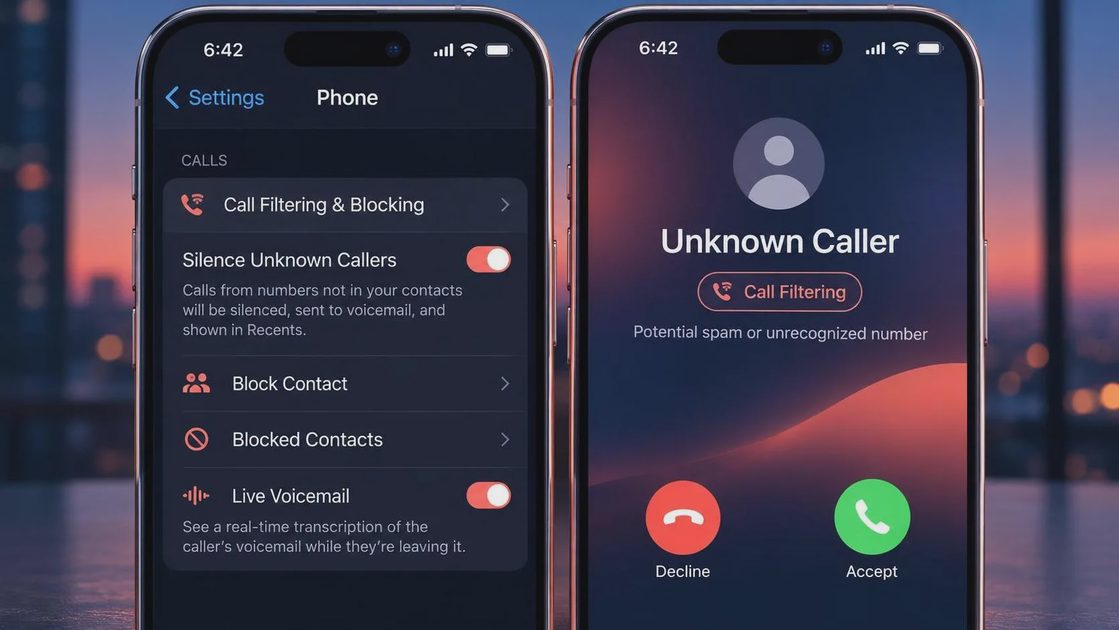
The most direct answer to how to stop robocalls on iphone without app is the Silence Unknown Callers feature. Open Settings, select Apps, choose Phone, and look for Silence Unknown Callers. On some older iOS versions, Phone appears directly in Settings. Turn the feature on, and calls from numbers that are not saved in your contacts, recent outgoing calls, or Siri Suggestions are sent to voicemail instead of making your phone ring.
This is especially useful for people who rarely receive legitimate calls from new numbers. Your iPhone still records the call in Recents, and the caller can leave a voicemail. That matters because a doctor's office, school, contractor, or delivery driver can still reach you without interrupting dinner or a meeting. The tradeoff is that an expected call from an unfamiliar number may also be quieted.
Before switching it on, save important numbers. Add your pharmacy, children's school, medical office, workplace, landlord, and regular service providers to Contacts. If you are applying for jobs or waiting for a repair appointment, check voicemail and Recents more often for a few days.
Use the iPhone's Call Filtering Options
Knowing how to stop robocalls on iphone without app also means using the smaller controls around the main setting. In Settings, Phone, review Call Blocking and Identification. If your carrier supports caller identification, its name may appear there. Enable a carrier-provided identification or spam option when you recognize the provider and understand what it does.
You can block a number after a call by opening Phone, selecting Recents, tapping the information button beside the number, and choosing Block Caller. Blocking will not stop every call from the same scam operation, because criminals can rotate or spoof numbers, but it prevents that specific number from reaching you again. Use Report Junk when the option appears for a suspicious message or call. Reporting helps Apple and participating carriers identify patterns, though it is not an instant cure.
For repeated FaceTime spam, review FaceTime settings and block unwanted callers there as well. Do not return a missed call simply because the number looks nearby. Some operations use one-ring calls to encourage callbacks, and returning the call confirms engagement or can connect you to a costly or deceptive service.
Ask Your Carrier for Free Protection
Your carrier may offer call labeling, spam detection, or automatic blocking at no extra charge. AT&T ActiveArmor, Verizon Call Filter, and T-Mobile Scam Shield are examples of carrier tools with different features and availability. These services can label a call as potential spam before you answer. Some options block high-confidence fraud calls, while others simply display a warning and let you decide.
This is an important part of how to stop robocalls on iphone without app because the carrier sees call-network information that your phone alone cannot. Sign in through the official carrier website or its verified app, not through a link in a text message promising a “spam refund.” Check whether a premium tier is being added, and review the blocking level before activating it. Aggressive filtering can occasionally silence a legitimate business call.
If a carrier tool blocks a call you expected, look for a recent-call list or blocked-call log. You may be able to allow a number or turn down the filter without disabling protection completely. A quick carrier chat can clarify the difference between free caller ID, spam warnings, and paid blocking features.
Reduce the Calls That Follow Your Number
Settings help with the symptom, but your future choices influence the volume. Avoid entering your phone number into every coupon form, prize drawing, warranty page, or quote comparison site. A form that asks for a phone number may share it with marketing partners, even when the offer looks familiar. If a number is optional, leave it blank. If a site requires one, read the privacy terms before submitting.
Do not press a number during a suspicious recording to “speak with an agent” or remove yourself from a list. That instruction can confirm that someone answered. Hang up instead. If a legitimate company needs to reach you, find its number independently using a statement, official website, or the back of your card.
The National Do Not Call Registry can reduce some legitimate telemarketing calls, but it does not stop scammers, fake charities, political calls, or companies that already have a business relationship with you. Treat registration as one layer, not a shield. You can report unwanted calls through the Federal Trade Commission or Federal Communications Commission complaint systems when appropriate.
A Simple Response Plan for Suspicious Calls
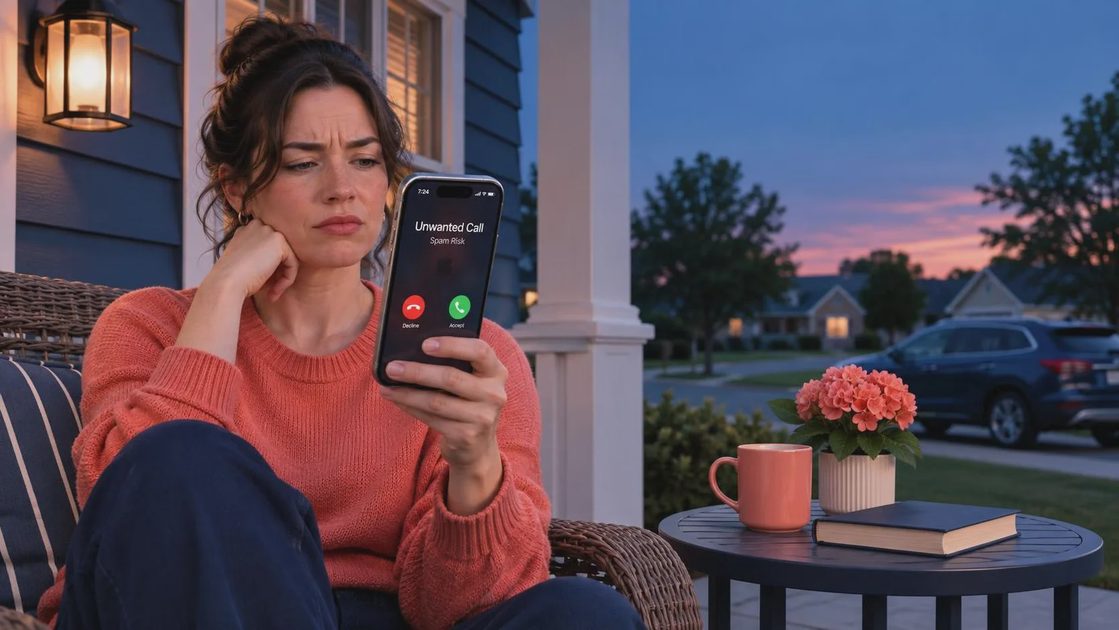
When an unknown call gets through, let it go to voicemail whenever possible. A real caller can explain the reason for contacting you. Listen without calling back, and never provide a one-time passcode, Social Security number, bank login, debit card number, or remote-access permission because a caller creates urgency.
Here is how to stop robocalls on iphone without app while protecting yourself during the moment: pause, write down the claimed organization, end the call, and contact that organization through a trusted channel. If the caller says your account will close in ten minutes, that deadline is the pressure point. Slow the click. If the message wants speed, you want distance.
If you already shared information, contact your bank using the number on your card, change exposed passwords, and watch account alerts. If money moved through Zelle, Cash App, or another payment service, report it immediately; recovery is harder after delays. A scam call is not proof that you were careless. These scripts are built to rush ordinary people past their normal judgment.
What to Check Each Month
A monthly review keeps your protection from quietly weakening. Confirm Silence Unknown Callers is still enabled, scan Recents for patterns, delete obvious voicemails, and verify that your carrier's spam feature remains active. Save legitimate new contacts after appointments or purchases. Review your iPhone software updates as well, since current software keeps settings and security fixes available.
If you depend on calls from unknown customers or clients, use voicemail screening rather than maximum blocking. Record a short greeting that does not reveal your full name, address, or schedule. For a family member who struggles with scam calls, turn on the same settings together and write down the rule: no payment, password, or code is handled because of an unexpected call.
The best answer to how to stop robocalls on iphone without app is layered protection: silence unfamiliar callers, use your carrier's legitimate filtering, block repeat offenders, limit where you publish your number, and verify urgent requests independently. No setting catches everything, but these steps can turn constant interruptions into occasional messages you can review safely.
No letters yet.