If you are searching for how to check if my email was in a data breach, start with one rule: do not click a surprise “breach alert” link in an email or text. The safest approach is to visit a trusted checker yourself, enter only the information needed, and then secure any account connected to an exposed password. A breach notice can be unsettling, but it does not automatically mean someone is inside your accounts right now.
How to check if my email was in a data breach safely
The most established option for checking an email address is Have I Been Pwned, commonly known as HIBP. Go directly to haveibeenpwned.com by typing the address into your browser or using a saved bookmark. Enter your email address, complete any verification the site requests, and review the listed incidents. Do not enter your password into a breach-search site. A legitimate email checker should not need your password to tell you whether an address appeared in known exposed data.
Mozilla Monitor is another consumer-facing option that can notify you about certain known exposures. It is useful if you want ongoing alerts rather than a one-time search, but check the service's current features and privacy terms before signing up. Your email provider may also offer account-security tools. Google Password Manager can check saved credentials for known security problems, while Apple's Passwords app and older iCloud Keychain features may flag compromised passwords on supported devices. These tools inspect saved login information, so they answer a slightly different question than an email-breach database.
A result usually identifies the breached company and the type of information reportedly exposed. That may include an email address, password, phone number, shipping address, username, or other account details. It does not prove that every listed data field belongs to you, and it does not tell you whether a criminal currently has access. Breach databases can also include old incidents, duplicate listings, or information exposed years ago.
If a checker says your address was found, note the company name and approximate date. Then think about whether you still use that service, whether the password was reused elsewhere, and whether the account contains payment or identity information. The age of the breach matters less than whether the same password is still active today.
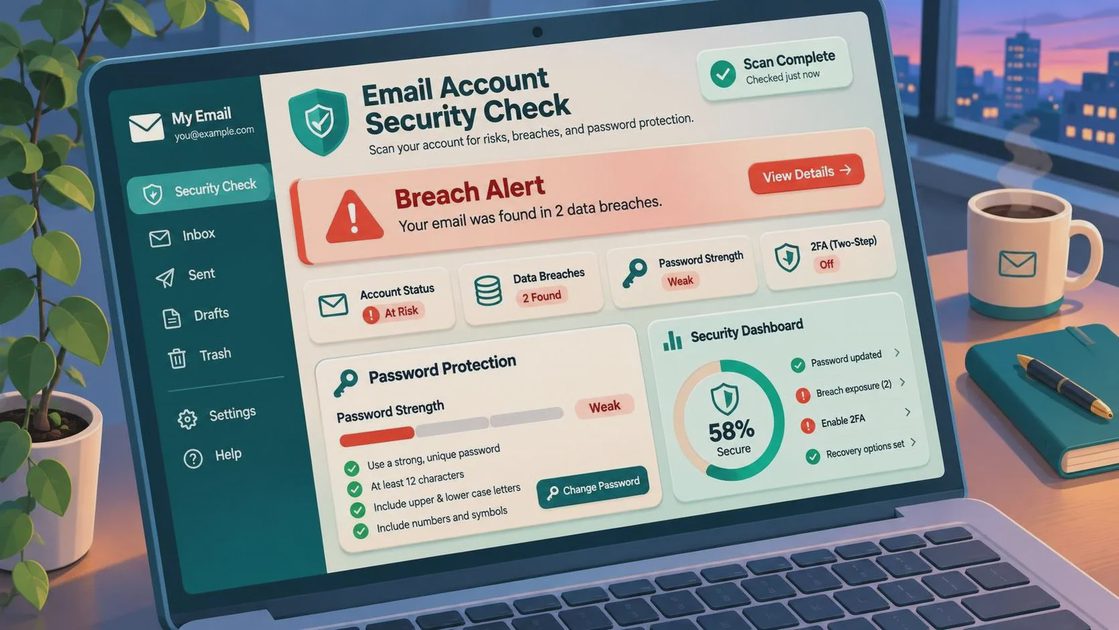
What a breach result does and does not mean
A breach result is a warning to investigate, not proof that you have been hacked. For example, an old shopping-account exposure may reveal an email address and a password hash, while a separate incident may expose a plain-text password. You often cannot determine from a public checker exactly how a company stored or protected each item. Treat every exposed password as unsafe regardless of the technical details.
The most serious situation is password reuse. If the exposed password also protects your email, bank, credit-card account, social-media profile, or payment app, change those accounts immediately. Start with your email account because control of that inbox can let someone reset other passwords. Use a new, long password for every important account. A password manager can create and store unique passwords so you do not have to keep a handwritten list or repeat a familiar phrase.
Turn on multifactor authentication wherever it is available. An authenticator app or hardware security key is generally stronger than text-message codes, but text verification is still better than having no second step. Save backup codes in a secure place. Do not share a one-time code with someone who calls, texts, or emails you, even if the person claims to be from your bank, phone company, or email provider.
If the breached account is no longer used, log in through the company's official website, change the password first, remove stored payment methods if appropriate, and then close the account. Do not follow a password-reset link from the breach notice itself. Open a new browser tab, type the company's address manually, or use the official app.
What to do after you find an exposed account
Make a short priority list. First, change the password on your email account if it was reused, exposed, or simply old. Next, secure financial accounts and payment apps, then social accounts that could be used to impersonate you. Review recovery email addresses, phone numbers, active sessions, and connected devices. Remove anything you do not recognize, but do not panic over a familiar device label until you verify the date, location, and device details in the account's security page.
Check recent login activity and transaction history. A breach alone is not evidence of fraud, so look for concrete signs: password-reset messages you did not request, unfamiliar security alerts, new forwarding rules in your email, changed recovery information, unauthorized purchases, or messages sent from your account. If money moved without your permission, contact the financial institution through the number on its official website or the back of your card. Speed matters for payment disputes.
Be especially alert for follow-up phishing. Once an email address appears in a breach, scammers may send convincing messages that mention a real company, an old order, a security warning, or a supposed refund. Here is where the pressure enters the script: the message tries to make you act before you verify. If the message wants speed, you want distance. Open the account directly instead of using its link, and never call a phone number supplied only in an unexpected message.
How to check if my email was in a data breach and keep checking
Search the address with a reputable service once, then create a routine for account security rather than repeatedly refreshing breach databases. Review your password manager's security report, install operating-system and browser updates, and check important accounts every few months. Use separate email addresses for financial accounts, shopping, newsletters, and public signups if that arrangement is practical for you. Separation cannot prevent a breach, but it can limit how far one exposed address travels.
If a checker reports an incident you do not recognize, do not pay a stranger who promises to “remove” your information from the dark web. You generally cannot erase data that has already been copied and redistributed. What you can do is replace reused passwords, strengthen account recovery, watch for identity-theft signals, and reduce the information exposed in future signups.
For identity documents or sensitive financial information, consider a credit freeze with the three nationwide credit bureaus. A freeze is free to place and lift, and it can help stop new-credit applications from being opened in your name. It does not protect an existing account, so continue monitoring bank and card activity separately.
The practical answer is simple: use a trusted checker, never type your password into it, secure reused credentials starting with email, and treat unexpected follow-up messages as possible phishing. Slow the click. A calm ten-minute review can do far more for your safety than a frantic tap on the first alert that lands in your inbox.
No letters yet.