
My mom still forwards me chain emails that say “Forward this to 10 people or your bank account will be hacked.” She also keeps her passwords on a sticky note under the keyboard.
I love her. But she’s a scammer’s dream — not because she’s gullible, but because she’s busy, trusting, and doesn’t have a system.
That’s the thing about digital safety: it’s not about being smarter. It’s about having a routine that kicks in before your finger hits “send.”
The good news? You can build that routine for your parents — or for yourself — in about 20 minutes. No tech degree required. No expensive software needed upfront. Just a few simple settings, a shared understanding, and one honest conversation.
Here’s the plan.
Before you start: grab your parent’s phone
You’ll need physical access to their primary device — probably an iPhone or Android. If they’re on a tablet or computer, we’ll adapt, but the phone is where 80% of scam contact happens.
Set a timer for 20 minutes. Let’s go.
Step 1: Silence unknown callers (2 minutes)
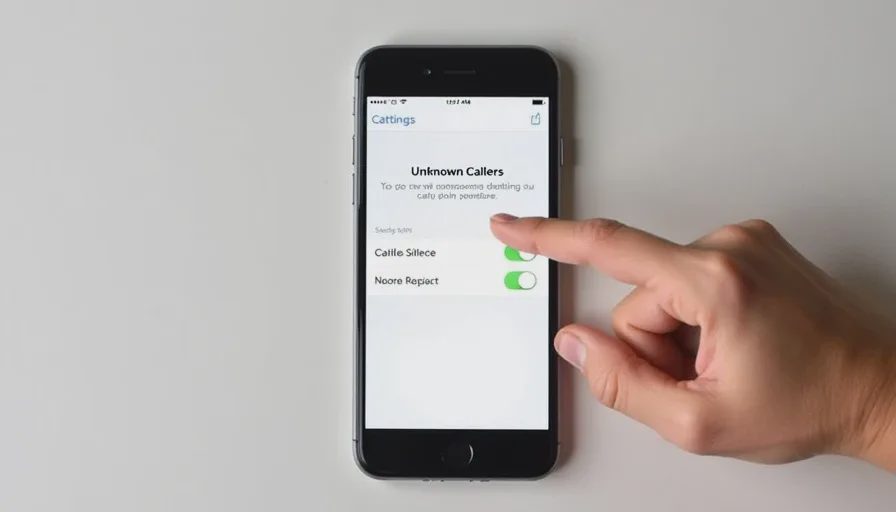
Most scam calls are one-and-done. If the phone doesn’t ring, they can’t pressure your parent.
iPhone: Settings → Phone → Silence Unknown Callers → Toggle ON. Calls from numbers not in Contacts will go straight to voicemail. Your parent will still see a notification, but it won’t interrupt their day.
Android (varies by model): Open the Phone app → Settings (three dots) → Blocked Numbers → Enable “Block unknown callers” or “Caller ID & spam protection.” On Samsung, it’s under Phone → Settings → Block numbers → Block unknown callers.
Tell them: “If it’s important, they’ll leave a voicemail. You can always call back if you recognize the number.”
Step 2: Turn on spam filtering for texts (3 minutes)
Fake bank alerts, fake delivery notices, fake “your account is locked” — they all come via SMS.
iPhone: Settings → Messages → Unknown & Spam → Filter Unknown Senders. This separates texts from non-contacts into a separate list, so they’re less likely to be read by accident.
Android (Google Messages): Open Messages → Settings → Spam protection → Enable “Enable spam protection.” For Samsung, open Messages → Settings → Block numbers and spam → Turn on “Block spam.”
Bonus: Install a dedicated spam-blocking app if their carrier doesn’t offer good protection. I’ll have recommendations in this week’s Tool Check — but for now, the built-in filters are a huge step.
Step 3: Set up a family code word (5 minutes)
This is the single most effective anti-scam habit I’ve ever seen. It takes five minutes and it costs nothing.
Here’s the conversation:
“Mom/Dad, if anyone ever calls or texts you claiming to be me, or your grandchild, or a relative, and they ask for money, gift cards, or personal information — you are going to ask them for our family code word. We’re going to pick one right now, and we’ll never tell anyone else. If they don’t know it, it’s not really us.”
Pick something simple but not guessable:
Not your pet’s name (too easy to find on Facebook).
Not your street name.
Something like: “blueberry pancakes” or “the old swing set” — a memory that only close family would know.
Write it down somewhere safe — not on the phone, not on a sticky note. Maybe in a wallet or a small notebook. Then practice it once: you call them and pretend to be a scammer, they ask for the code word, you give it. They hang up and call you back on your known number to verify.
That practice makes it muscle memory.
Step 4: Review the “never, ever” list (5 minutes)

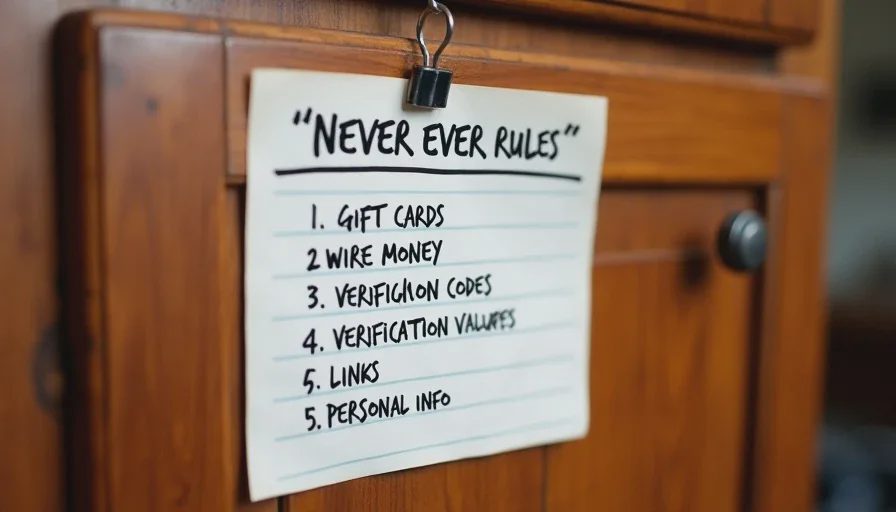
Sit down with them and go over this short list. Don’t lecture — just say, “These are the rules I follow too.”
Never, ever:
Send money via gift card — No legitimate company or family member will ask you to pay bail, taxes, or a utility bill with iTunes, Google Play, or Target gift cards. That is always a scam.
Wire money to someone you haven’t spoken to on a known number — Even if they sound like your grandchild, hang up and call them back on their saved contact. Always.
Share a verification code — If someone calls and says “I’m from the bank, I just sent you a code to confirm your identity,” that code is actually a password-reset link. Never read it out loud. The bank will never ask for it.
Click a link in a text you didn’t expect — Package delivery, bank alert, utility bill — if you weren’t expecting it, don’t tap it. Open your browser and go to the official site manually.
Give out your Social Security number, bank account number, or password over the phone — No one legitimate calls you and asks for those. They already have them.
Make it visual: Write these on an index card and tape it inside a kitchen cabinet. When in doubt, they can look at it.
Step 5: Show them how to freeze their credit (3 minutes)
This is a pre-emptive strike against identity theft. If a scammer gets their Social Security number, a credit freeze prevents new accounts from being opened in their name.
Go to Equifax, Experian, and TransUnion websites. Each has a “freeze” or “security freeze” option. It takes about 5 minutes per bureau, but you can do one now and the others later.
It’s free, it doesn’t affect their credit score, and they can temporarily lift it when they actually need new credit (like buying a car).
For now, just show them the websites and bookmark them. That’s enough to start.
Step 6: Install a scam-call blocker app (2 minutes — optional but recommended)
If your parent gets a lot of spam calls, a third-party app can help. In my testing, the built-in filters catch about 60–70%. A dedicated app catches closer to 90%.
I’ll have a full breakdown of the best ones later this week in Tool Check, but if you want a quick install right now:
For iPhone and Android: Look for apps like RoboKiller or Hiya — both have free tiers that block known spam numbers.
For Android: Google’s Phone app has built-in spam protection that’s very good.
Set it up for them — download, grant permissions, and show them how to check the blocked calls list once a week (so they don’t miss a legitimate call).
That’s it. You’re done.
If you followed along, you’ve just:
Cut their scam call volume by 70%+
Given them a reliable verification tool (the code word)
Written down the five “never” rules
Started a credit freeze
Installed an extra layer of blocking
All in under 20 minutes.
One last thing: the follow-up conversation
The real protection isn’t the settings — it’s the habit. So promise me you’ll do this:
Next week, call them and ask: “Have you gotten any strange calls or texts this week? Let’s check your filtered messages together.”
That check-in does more than any app. It normalizes the behavior. It makes them feel safe enough to tell you if something slipped through. And it reminds them: you’re on their team, not watching from the sidelines.
No letters yet.