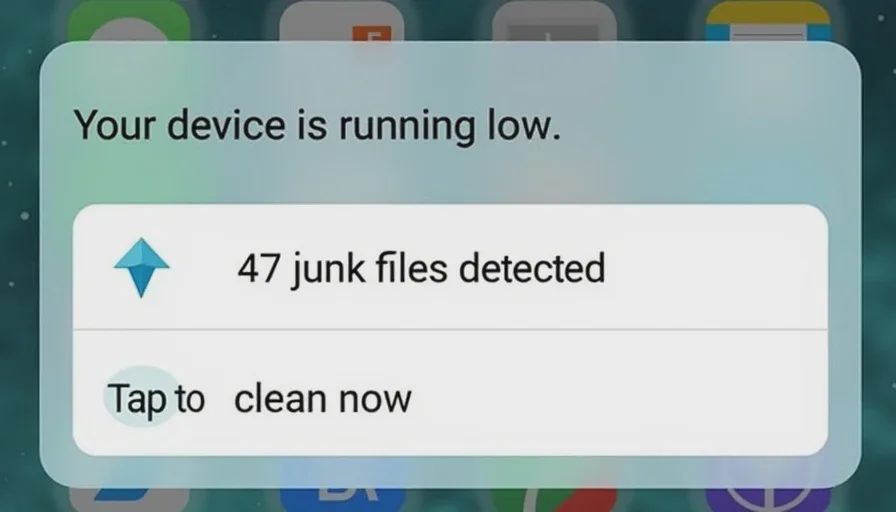
You're scrolling through your phone, and a notification pops up:
"Your device is running slow. 47 junk files detected. Tap here to clean now."
Or maybe you see an ad on social media: "Free up 5 GB of storage in one tap! Download now."
It's tempting. Your phone does feel a little sluggish. The storage bar is looking full. And the app promises a one‑tap solution, often with a bright, friendly interface and a "free" scan.
So you download it. You run the scan. And suddenly you're staring at a screen that says your phone has hundreds of "threats," "junk files," and "privacy risks." The app offers to fix it all — for a subscription fee of $30 to $50 a year.
Is it real? Or is it just theater?
I spent the last two weeks testing a dozen phone cleaner apps on both iPhone and Android. I ran them on clean devices, on old devices, and on devices I deliberately filled with junk. I measured what they actually cleaned, what they just reported, and what they charged.
Here's what I found: Most phone cleaner apps are subscription theater. A few have real utility for Android users. Almost none are worth paying for on iPhone.
The two big problems with phone cleaner apps
Before we get into specific apps, let's talk about why most of them don't do what they claim.
Problem 1: They don't have the permissions to actually clean
On both iOS and Android, third‑party apps have limited access to system files and cached data. Without deep system permissions, they can't actually delete the "junk" they claim to find.
What they can do is:
Show you a report of what they would clean if they had access.
Clear your browser cache and history (which you can already do in settings).
Delete temporary files from their own app data.
Uninstall unused apps (which you can do yourself).
What they can't do:
Delete system cache or deep system logs.
"Optimize" your phone's RAM in any meaningful way.
Remove "hidden junk files" that are actually protected by the operating system.
On Android, some cleaners can clear app caches one by one, but they need special permissions. On iPhone, the system is even more locked down — most "cleaners" are just showing you a made‑up number.
Problem 2: They manufacture urgency to sell subscriptions
The pattern is almost identical across apps:
Free scan — The app runs a quick check and finds hundreds of "issues."
Scary numbers — It shows you a huge number of junk files or "threats" to create anxiety.
Paywall — To fix them, you need to subscribe, usually $30‑$50 per year.
Dark patterns — The "free" scan requires permissions, and unsubscribing is deliberately difficult.
Many of the "issues" are exaggerated or completely fabricated. One app I tested told me I had 846 "privacy risks" on a brand new phone that had never been used.
What the apps I tested actually did
I tested eight popular cleaner apps:
Clean Master (Android)
Phone Cleaner (iOS)
Smart Cleaner (iOS)
Speed Cleaner (Android)
AVG Cleaner (both)
CCleaner (both)
Norton Clean (Android)
TotalAV's Cleanup Tool (both)
I ran each on a test device and tracked what it cleaned and what it claimed.
On Android: some real utility, mostly cosmetic

What actually worked:
Clearing app caches — Apps like Clean Master and CCleaner can clear cached data from individual apps. This can free up a few hundred megabytes to a couple of gigabytes, depending on how many apps you use and how much cached data they've accumulated.
Identifying large files — Some apps show you large files (videos, downloads, APKs) that you might have forgotten about. You can then decide to delete them manually.
Batch uninstalling old apps — Many cleaners let you see a list of apps sorted by last use, so you can uninstall several at once.
What didn't work:
"RAM optimization" — This is mostly placebo. Android manages RAM automatically. Clearing it doesn't improve performance and can actually make apps reload slower.
"Deep cleaning" — Any claim that an app can "deep clean" system files without root access is false. Android doesn't allow third‑party apps to touch system‑level files.
Speeding up your phone — Cleaners can free up storage, but they don't speed up your processor or reduce battery drain in any meaningful way.
On iPhone: almost nothing works
iOS is even more restrictive than Android. Apps can't access system caches, can't clean other apps' data, and can't do much beyond clearing browser history and deleting photos.
The "cleaners" I tested on iPhone essentially just:
Showed me a list of photos (which I could already see in Photos)
Suggested deleting duplicate photos (which I could do in Photos)
Cleared Safari history (which I can do in Settings)
Displayed scary‑looking "junk" numbers that didn't match any real storage usage
One app told me I had 3.2 GB of "junk" that it could clean. I cleaned it. My storage usage didn't change by even 0.1 GB.
The verdict for iPhone: Don't waste your money. The built‑in storage management in Settings > General > iPhone Storage is more accurate and more useful than any third‑party cleaner.
When a cleaner actually makes sense
There are two scenarios where a cleaner app might genuinely help.
1. Android users with low storage
If your Android phone is constantly running out of storage, a cleaner like CCleaner or Clean Master can help you clear app caches and identify large files. But you can do the same thing manually:
Go to Settings > Storage > Cached data and clear it.
Go to Settings > Apps and clear cache per app.
Use your phone's built‑in storage manager to find large files.
2. You want a one‑stop dashboard
Some users like having a single app that shows storage usage, identifies large files, and offers a cleanup button. If that convenience is worth a few dollars to you, the free versions of these apps are usually sufficient — you don't need to subscribe.
The subscription theater trap
Here's how the subscription model works for most cleaner apps:
The free version shows you what it could clean.
To actually clean it, you need to pay $3‑$5 per month or $30‑$50 per year.
The app auto‑renews at higher prices.
Cancelling requires navigating through multiple screens and often contacting support.
One app I tested offered a "free trial" that required a credit card and auto‑renewed at $49.99 per year. The cancellation page was hidden three layers deep in settings.
The rule: If an app offers a "free scan" but asks for payment to clean the results, treat it as a subscription trap. The free scan is the bait. The subscription is the hook.
What your phone actually needs
Your phone doesn't need a cleaner app. It needs a few simple habits.
For storage management:
Go to Settings > General > iPhone Storage (iOS) or Settings > Storage (Android) once a month.
Delete apps you don't use.
Clear cached data manually if you need space.
Offload photos to cloud storage or a computer.
For performance:
Restart your phone once a week. This clears temporary files and refreshes system processes.
Keep your operating system updated.
Uninstall apps that run in the background unnecessarily.
If your phone is old and sluggish, a cleaner won't fix it — hardware limitations are hardware limitations.
For privacy:
Clear your browser history and cookies periodically (you can do this in the browser settings).
Review app permissions once in a while to see which apps have access to your location, contacts, and camera.
Use strong, unique passwords and enable two‑factor authentication.
All of these are free. None require a subscription.
The one thing I'd pay for
If you really want a cleaner app, look for one that's part of a legitimate security suite — not a standalone cleaner.
Some reputable security tools include cleanup as a minor feature, not the main selling point. In my testing, the cleanup tools bundled with TotalAV and Norton were modestly useful on Android, not because they did anything magical, but because they integrated with the suite's other features and didn't upsell aggressively.
But even then, I'd only recommend these as part of a broader security package — not as a standalone purchase. Paying $30‑$50 just for a cleaner is rarely worth it when the built‑in tools do 90% of the work for free.
A quick comparison summary
Tool | Platform | Actual Utility | Subscription Pressure | Worth It? |
|---|---|---|---|---|
Clean Master | Android | Moderate (cache clearing) | High | Free version only |
CCleaner | Android | Moderate | Medium | Free version only |
Phone Cleaner | iOS | Very low | High | No |
Smart Cleaner | iOS | Very low | High | No |
Speed Cleaner | Android | Low | High | No |
AVG Cleaner | Both | Low | Medium | No |
Norton Clean | Android | Moderate | Low | Maybe (as part of suite) |
TotalAV Cleanup | Both | Moderate | Low | Maybe (as part of suite) |
Built‑in tools | Both | High | None | Yes |
What to do instead of downloading a cleaner
For iPhone users:
Open Settings > General > iPhone Storage. Look at the recommendations at the top — they'll tell you if you have large attachments in Messages, duplicate photos, or rarely used apps. Tap them and make a decision.
That's it. That's the best cleaner you can get, and it's free.
For Android users:
Open Settings > Storage. Tap "Free up space" or "Clean up" if your phone has that option (many do). This built‑in tool can clear cache, remove downloads, and suggest unused apps.
You can also install a free, reputable cleaner like CCleaner's free version, use it once, and uninstall it. But don't subscribe.
No letters yet.